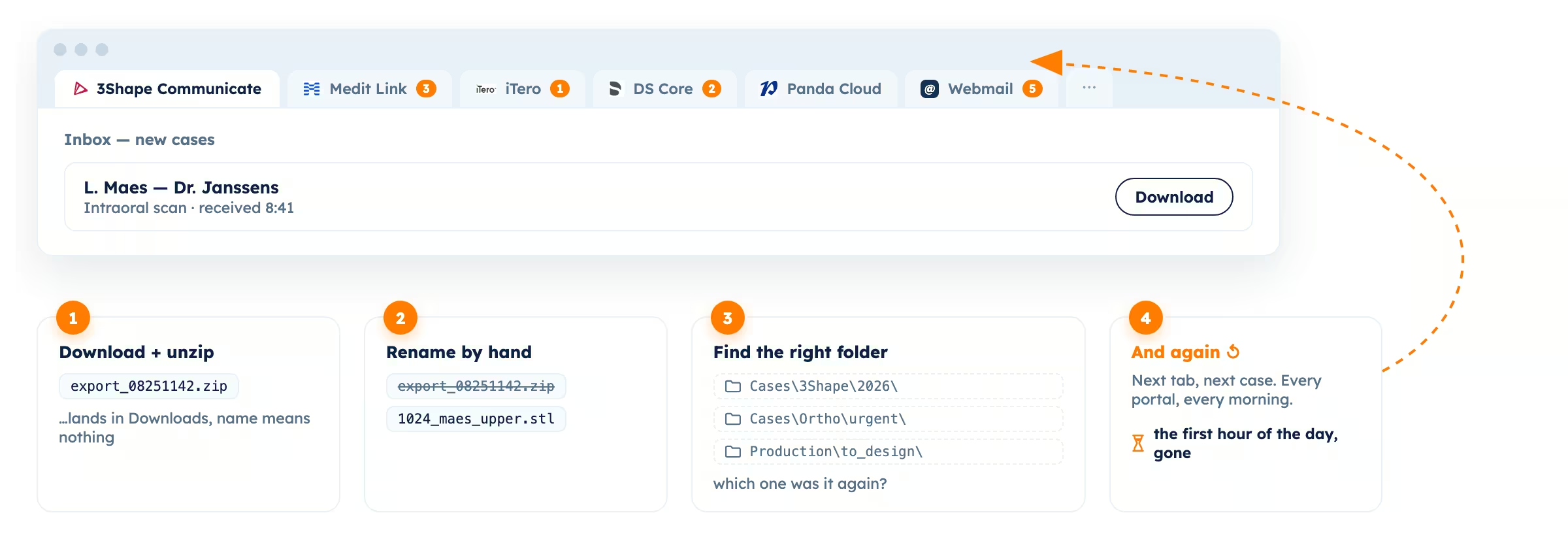
If your lab receives digital cases, you know the morning routine. In front of you, 6–10 different platforms with different interfaces, information and behavior. Maybe you still receive orders via email or Dropbox. You probably start by opening iTero, review what new cases have come in, check their associated prescriptions and act if something is already raising a brow. Then you download the files, navigate the many folders trying to find what you need, open the same files in a local viewer, and make sure you have the information your team needs to start the case.
OK, what is next? 10 more cases? 20? 50? Great! Now only 9 more platforms to go?
And all of this needs to happen before you can start doing the real productive work.
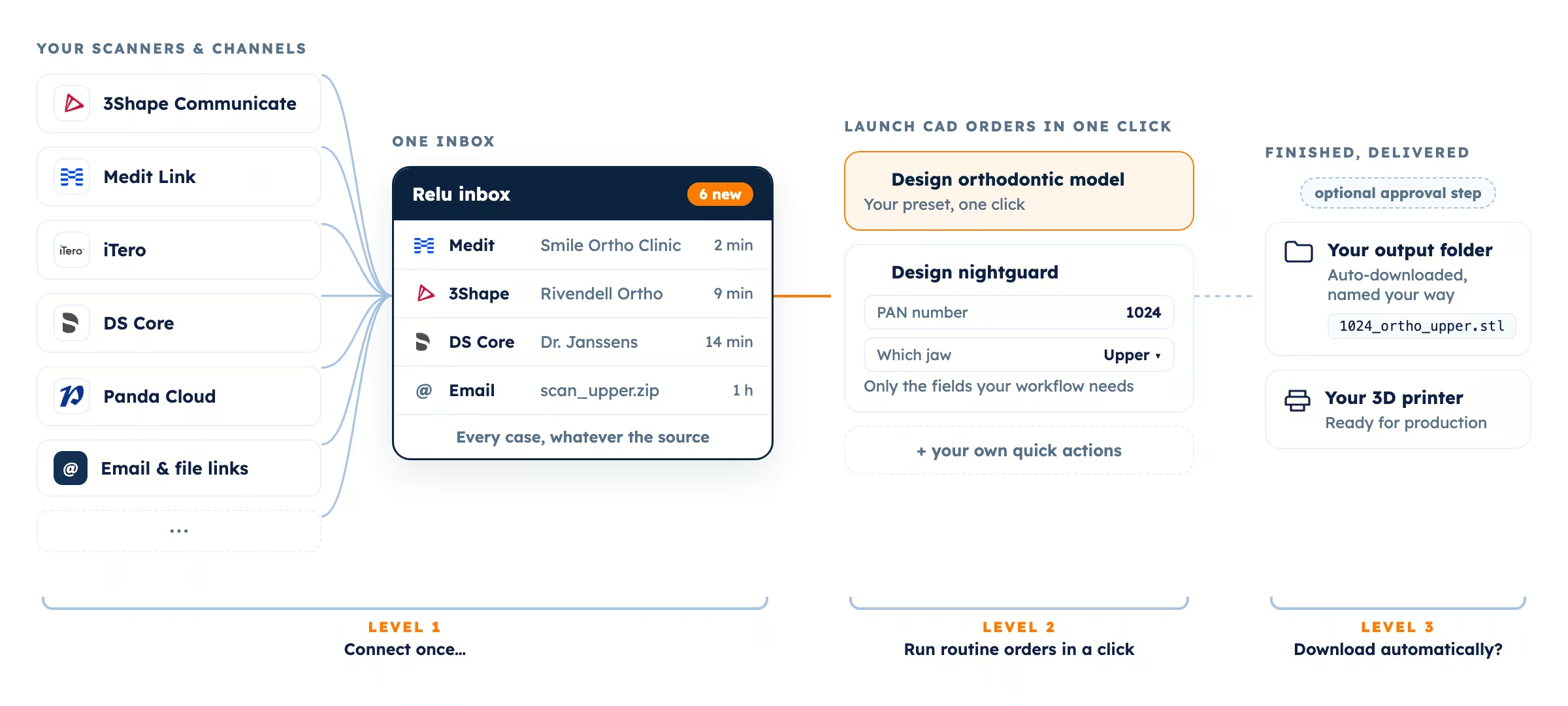
We built Relu Single Inbox to end that struggle. Every case your lab receives lands in a single place, whatever scanner it came from and however the clinic sent it. iTero, Medit, 3Shape, DS Core, Dexis, Shining, Allied Star, Panda, and more, Single Inbox even connects with your email. Same interface, same information, same experience, and many tools to help labs focus only on what is important.
Today we see labs use Single Inbox at three levels. Which level is your lab at?
Level 0: no inbox, or where most labs are today
We call this the Morning Chaos state. Someone in the lab is in charge of this administrative work, opening every new case one by one, spotting the prescription that asks for a nightguard while the antagonist scan is missing, and it generates a bottleneck before anyone gets to real design work. We always ask our customers: "What would you be able to achieve if you had all of these mornings back?" Let's move up.
Level 1: every case in one inbox
You connect your scanner and sharing portals to Relu once, and from then on every incoming case lands in the same inbox. A Medit scan from one clinic, a 3Shape case from another, a zip from that one dentist who still emails everything: single queue.
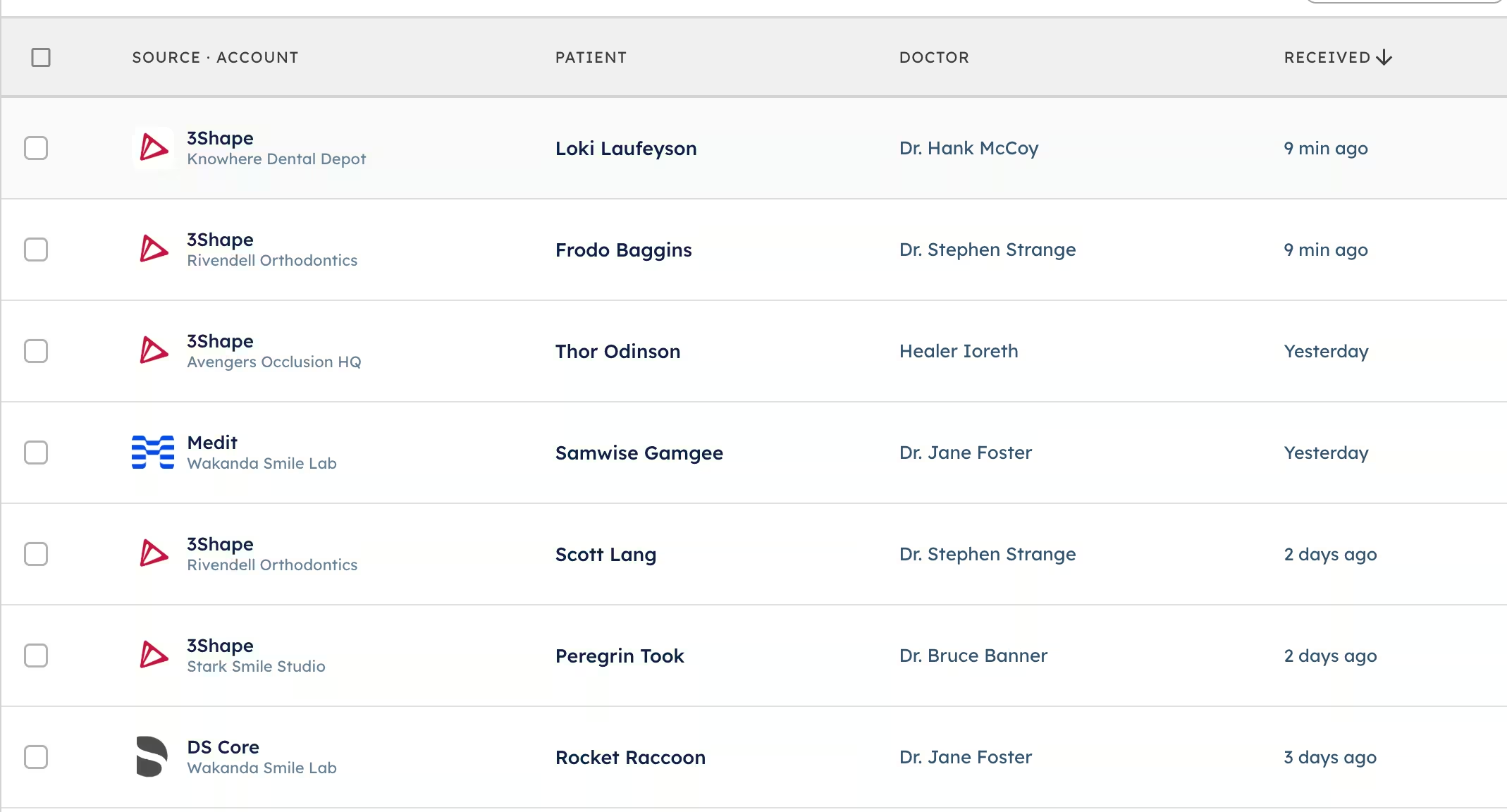
You work the case right there, in your browser. Open it, inspect the scan in the built-in 3D viewer, review the prescription and notes, launch whatever model preparation or CAD design job it requires, and go to the next case straight away. A case raises doubts? Put it on hold, continue your work, and get back to it once the team is rolling. We designed Single Inbox to minimize clicks and maximize efficiency, to get the lab's time back.
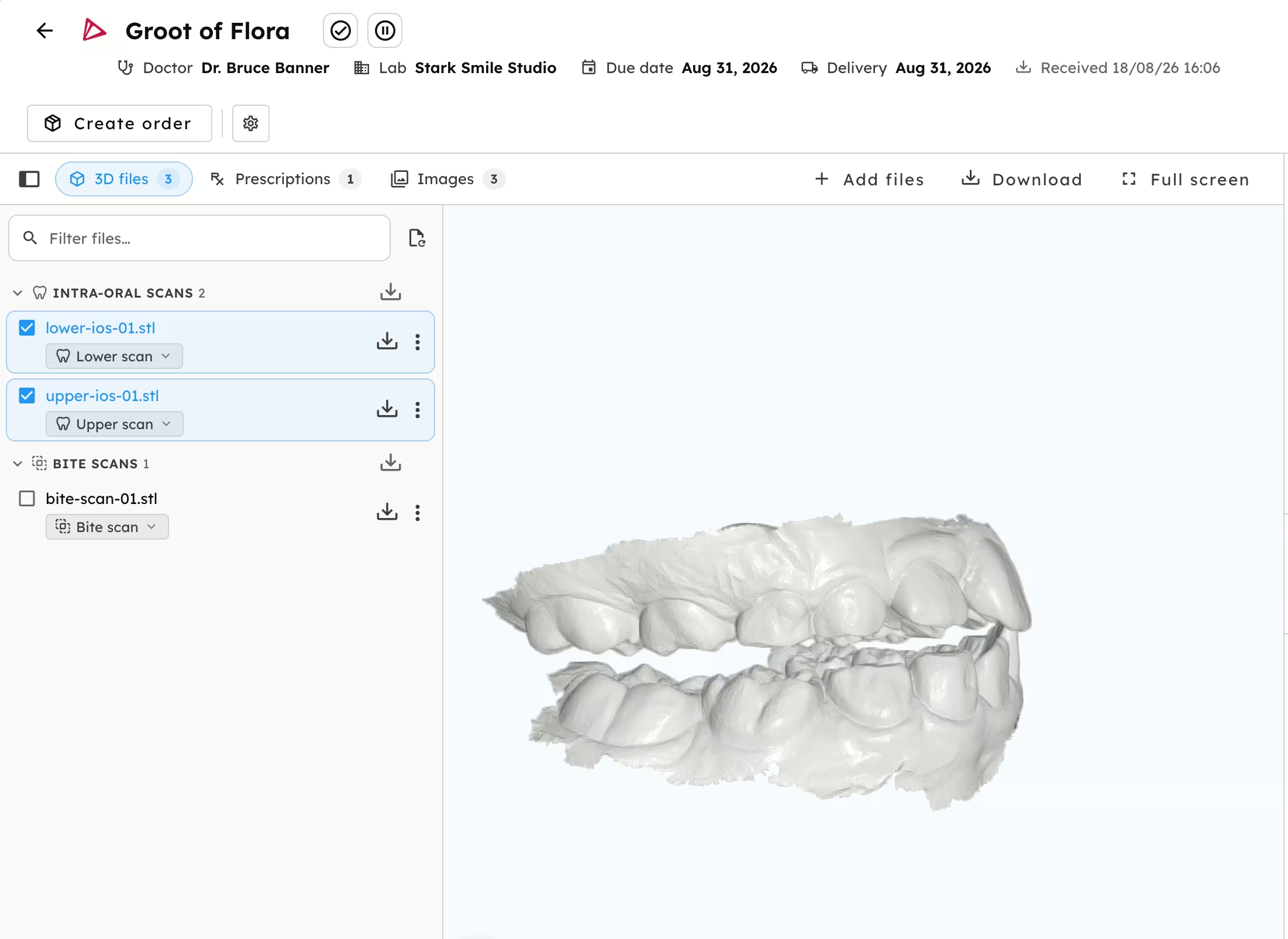
That alone is a game changer in how you operate your lab. It is not just the time saved, but also the tranquility of knowing where every piece of information is and how to get to it instantly.
Still, whether you are requesting Relu Services or doing something else with your orders, you're clicking through the forms and steps over and over again. We can help further. Which brings us to level 2.
Level 2: quick actions, tuned to your lab
Are you repeating the same model preparation several times a day? We introduced quick actions: completely customized buttons that launch your most common design jobs, an orthodontic model, a nightguard, and more, saving you multiple clicks per order. A scan comes in, you hit your quick action and the order (e.g. an upper Michigan splint) is running. Go to the next case.
But a quick action is more than a shortcut. You have total control over what happens and which information is relevant for the order: which preset it routes to, your PAN number, which jaws to run it on, whether you want a bite correction, all easily configurable to your workflows, and your technicians see exactly the information they need and nothing else.
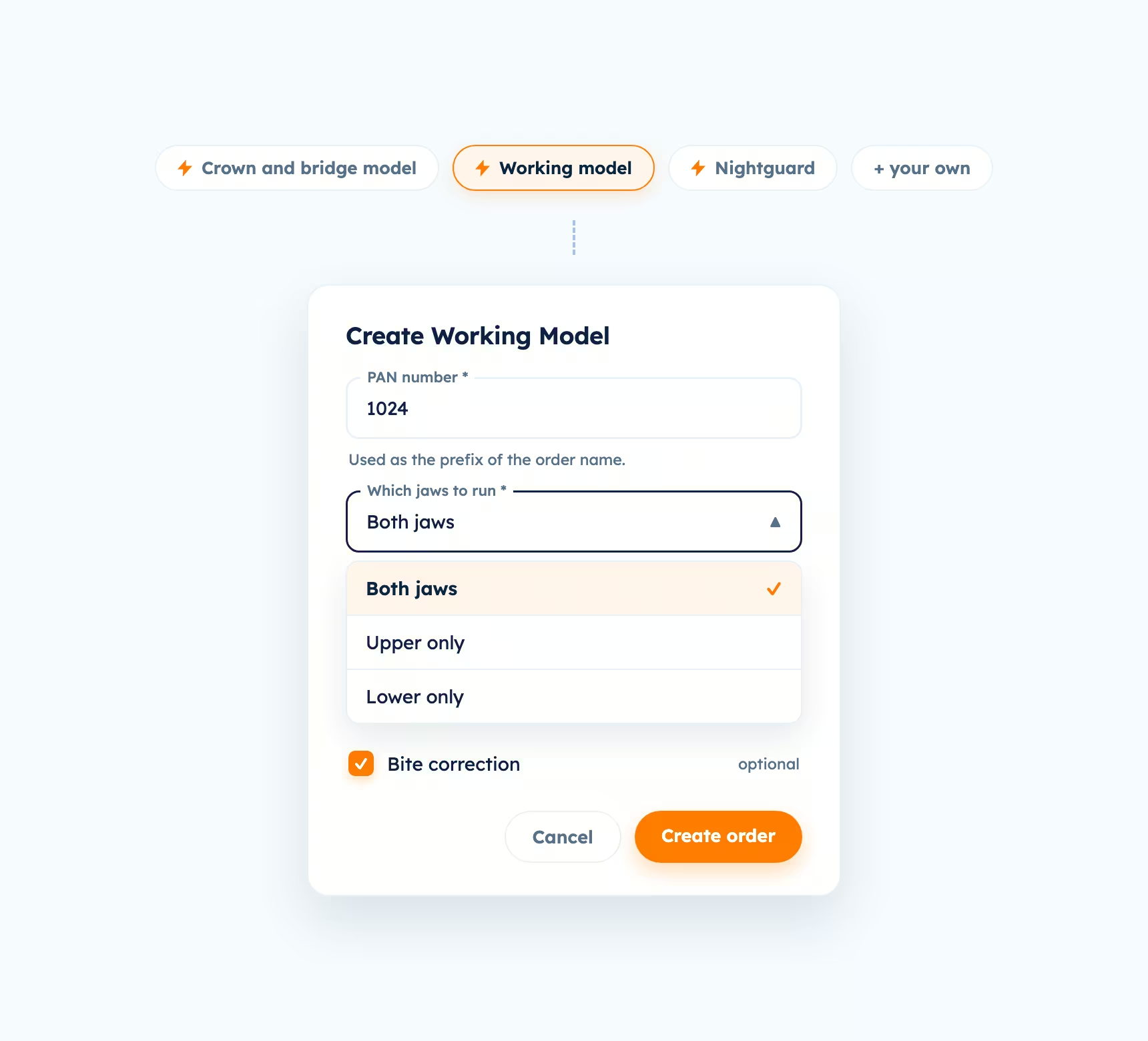
You can configure as many quick actions as you want, or make them more powerful by customizing them to each of the different products and services you offer to your clinicians.
Starting your CAD work is now down to a few seconds per case. But the ending is still handwork: when a design is ready, someone opens the case, downloads the files, renames them, and drops them in the right folder. That's what level 3 automates.
Level 3: finished designs, straight to your folder
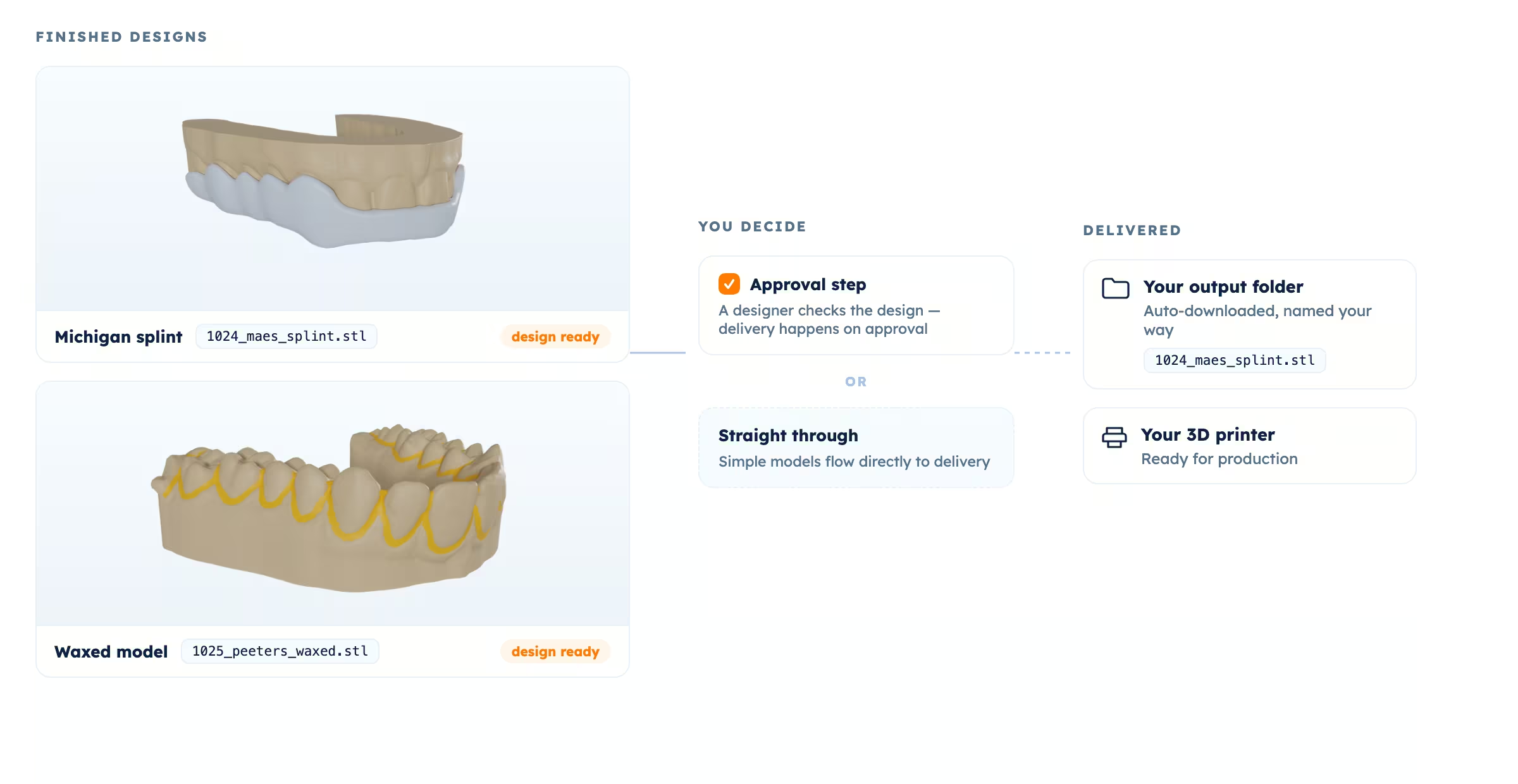
Now that we have turned chaos into a single click, Level 3 takes care of getting everything ready for printing. Tell it where your files live, and finished designs arrive there on their own, with your naming convention already applied. No one needs to open the case just to download it.
You decide how much control to keep. Add an approval step, so a designer checks the design and the download happens on approval. Or skip it: for simple dental models, many labs let them flow straight through. The file is now ready for production.
So, which level is your lab at?
Or in other words: how much non-billable time are you still leaving behind?
At each of these levels, there are considerable efficiency gains that pile on top of the previous one. But the real question isn't how much time you recover, it's the impact that reclaimed time will have on your business. Will you have more time to connect with customers and build the relationship? Can you reach out to new customers? Can you decrease your turnaround times and be more competitive? Will you be able to accept more cases with the same team?
Many don't notice it, but every click counts.
Most labs are somewhere between Level 1 and Level 3 today, and getting further up the ladder starts with turning on Relu Single Inbox. See how Single Inbox fits your lab.
Now, what if your orders ran automatically from the moment the clinician places them all the way down to printing? That's Level 4. Get in touch with us to learn more about what we have coming, or watch for the next post.